

How to Access Webmail Using Roundcube
Webmail allows you to check your email from any web browser, anywhere in the world, without needing to set up an email app on your computer or phone. Roundcube is the modern and easy-to-use webmail application we provide with your cPanel account.
Before You Start
This guide assumes you have already created an email account. If you have not created one yet, please follow this guide first: How to Create an Email Account in cPanel.
Accessing Webmail with One Click
This is the fastest way to log in to your email.
1. Log in to your cPanel control panel.
2. In the "Email" section, click on the Email Accounts icon.
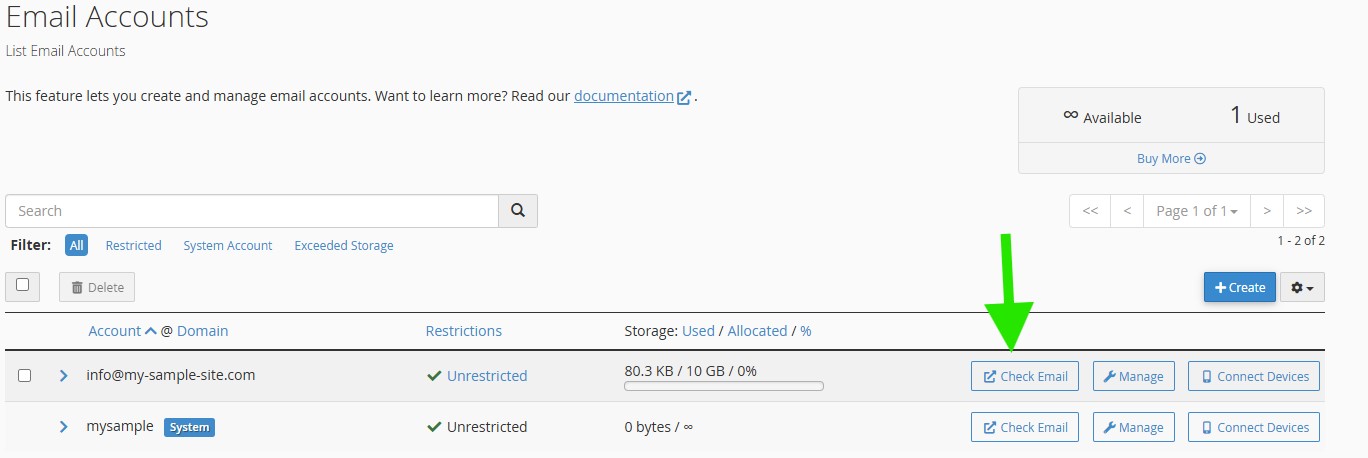
3. You will see a list of your email accounts. Find the account you want to access and click the Check Email button on the right.
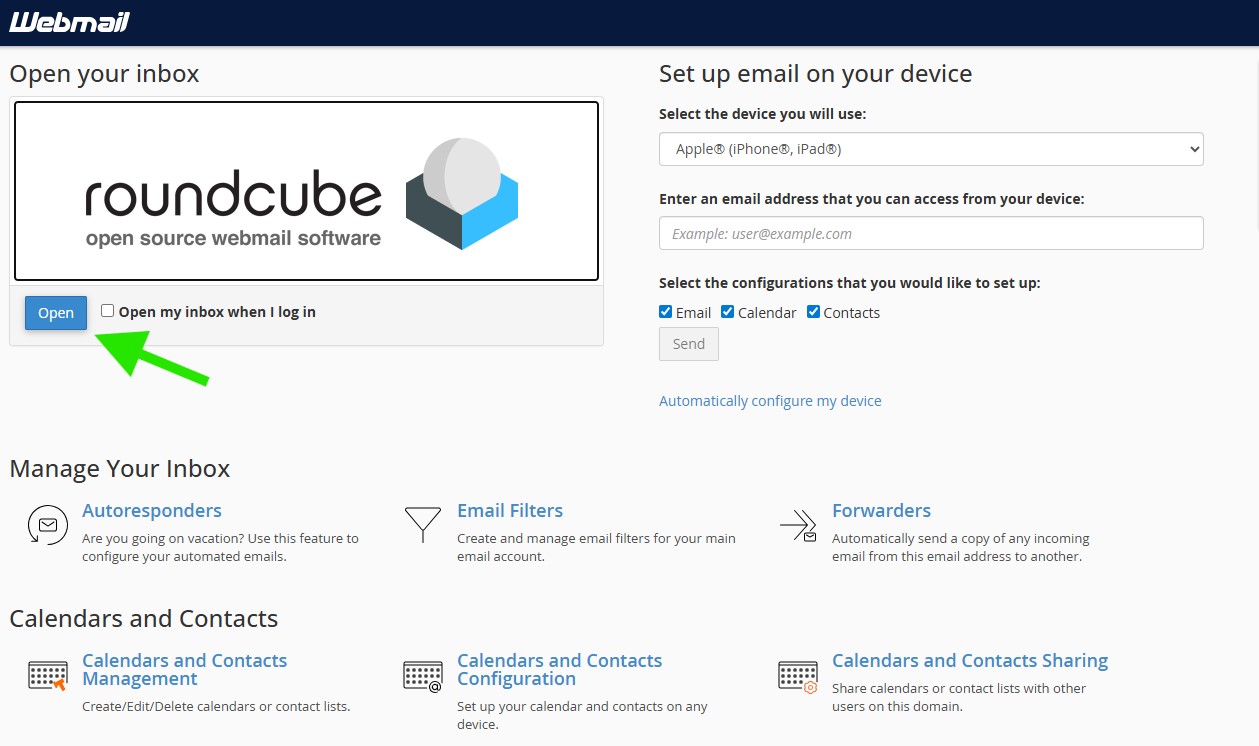
4. On the next screen, you will see the Roundcube application. Click the Open button to go directly to your inbox.
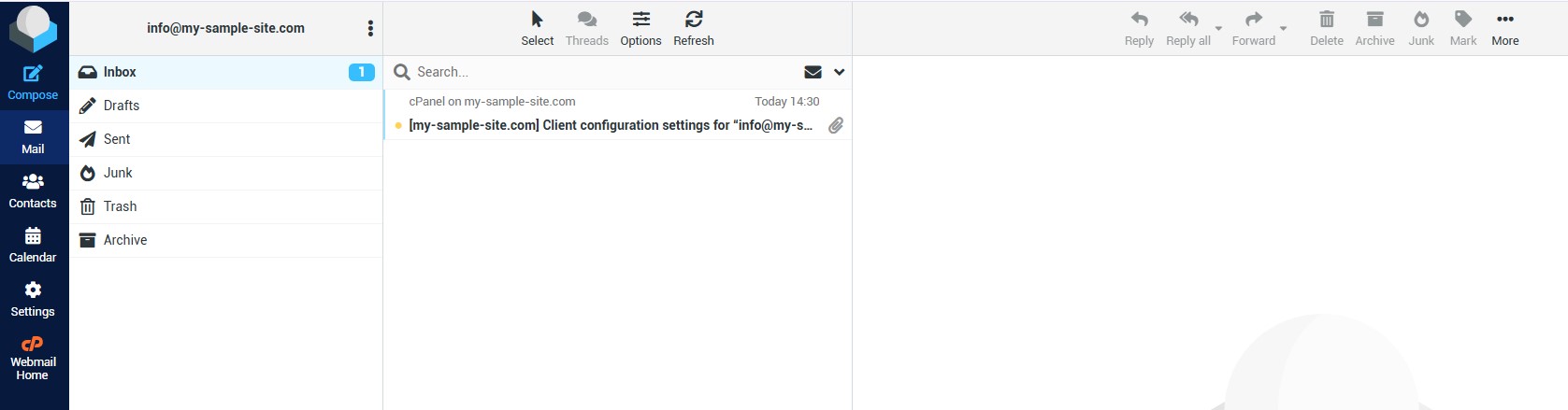
5. You will now see your email inbox, with folders for Sent items, Drafts, and more. To send a new email, just click the Compose icon in the menu.
A Note on Email Clients
While using Webmail is fast and convenient, for the best experience, we recommend setting up your email on an application on your computer or phone (like Outlook, Apple Mail, or Thunderbird).